Build a full-stack app with Rust, Next.js, Postgres, Docker, and Docker Compose
Step-by-step proced

By the end of this article, you will understand and create a simple yet complete full stack app using the following:
Next.js 14 (TypeScript)
Tailwind CSS
Rust (no framework, Serde for serialization)
PostgreSQL
Docker
Docker Compose
There are MANY technologies, but we'll keep the example as basic as possible to make it understandable.
We will proceed with a bottom-up approach, starting with the database and ending with the frontend.
If you prefer a video version: https://youtu.be/77RjzJtC_g4
All the code is available for free on GitHub (link in video description).
Architecture
Before we start, here is a simple schema explaining the app's architecture.
Build a FULL STACK Web app with Rust API, Next.js 14, Serde, Postgres, Docker, docker Compose

The frontend is a Next.js app with TypeScript and Tailwind CSS.
The backend is written in plain Rust, without any framework, but we'll use Serde for serialization and Deserialization.
The database is PostgreSQL. We will use Docker to run the database, the backend, and also the frontend (you can also use Vercel). We will use Docker Compose to run the frontend, the backend, and the database together.
Prerequisites
Basic knowledge of what is a frontend, a backend, an API, and a database
Docker installed on your machine
Rust installed on your machine (we will use cargo to build the backend)
(optional) Postman or any other tool to make HTTP requests
1. Preparation
Create any folder you want, and then open it with your favorite code editor.
mkdir <YOUR_FOLDER>
cd <YOUR_FOLDER>
code .
Initialize a git repository.
git init
touch .gitignore
Populate the .gitignore file with the following content:
*node_modules
Create a file called compose.yaml in the project's root.
touch compose.yaml
Your projects should look like this:
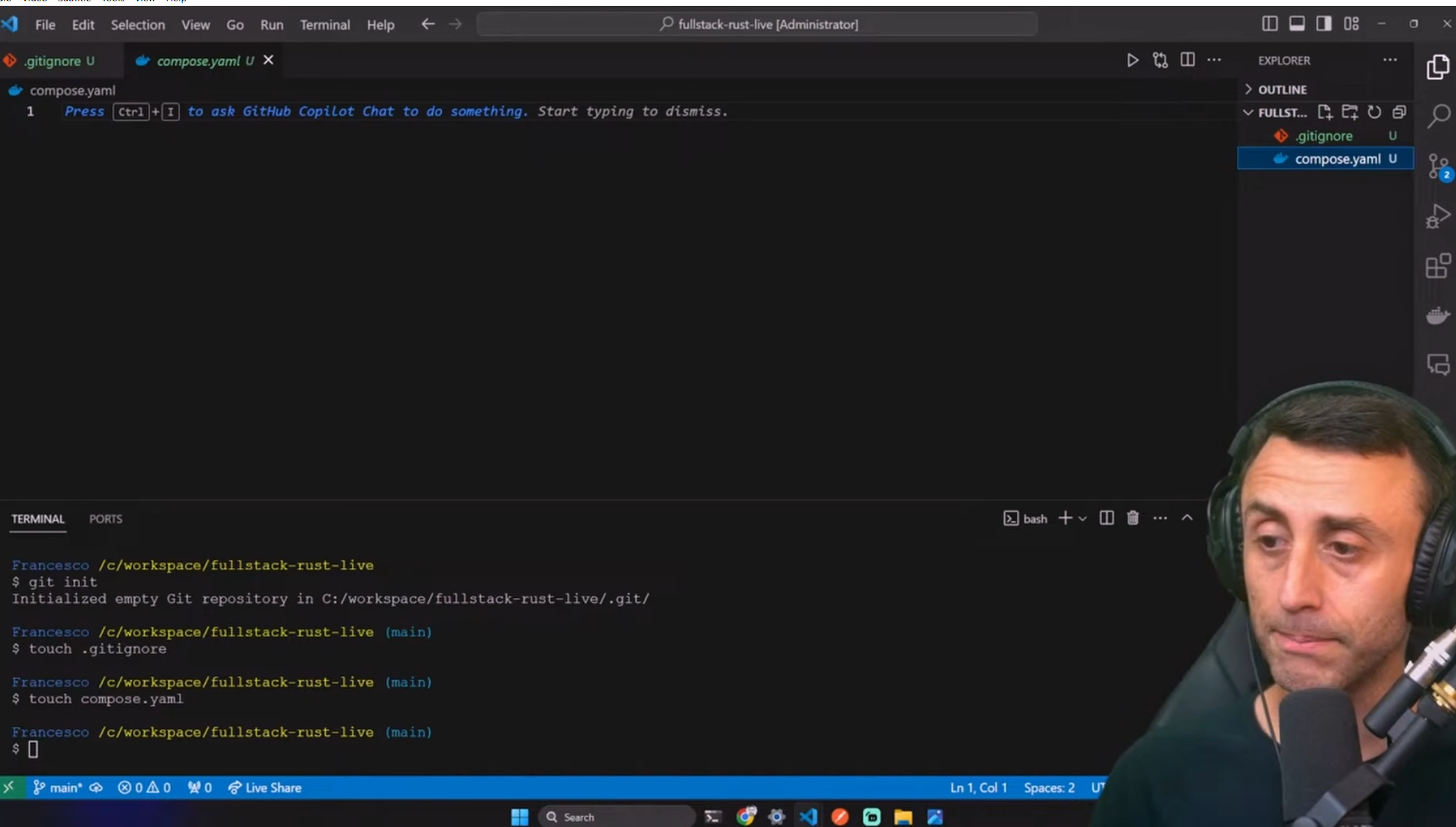
We are ready to create the fullstack app and build it from the bottom up, starting with the database.
After each step, we will test the app's current state to ensure that everything is working as expected.
2. Database
We will use Postgres but not install it on our machine. Instead, we will use Docker to run it in a container. This way, we can easily start and stop the database without installing it on our machine.
Open the file compose.yaml and add the following content:
services:
  db:
    container_name: db
    image: postgres:13
    environment:
      POSTGRES_USER: postgres
      POSTGRES_PASSWORD: postgres
      POSTGRES_DB: postgres
    ports:
      - 5432:5432
    volumes:
      - pgdata:/var/lib/postgresql/data

volumes:
  pgdata: {}
then type in your terminal
docker compose up -d
This will pull the Postgres image from Docker Hub and start the container. The -d flag means that the container will run in detached mode so we can continue to use the terminal.

Check if the container is running:
docker ps -a
Step into the db container
docker exec -it db psql -U postgres
Now that you are in the Postgres container, you can type:
\l
\dt
And you should see no relations.
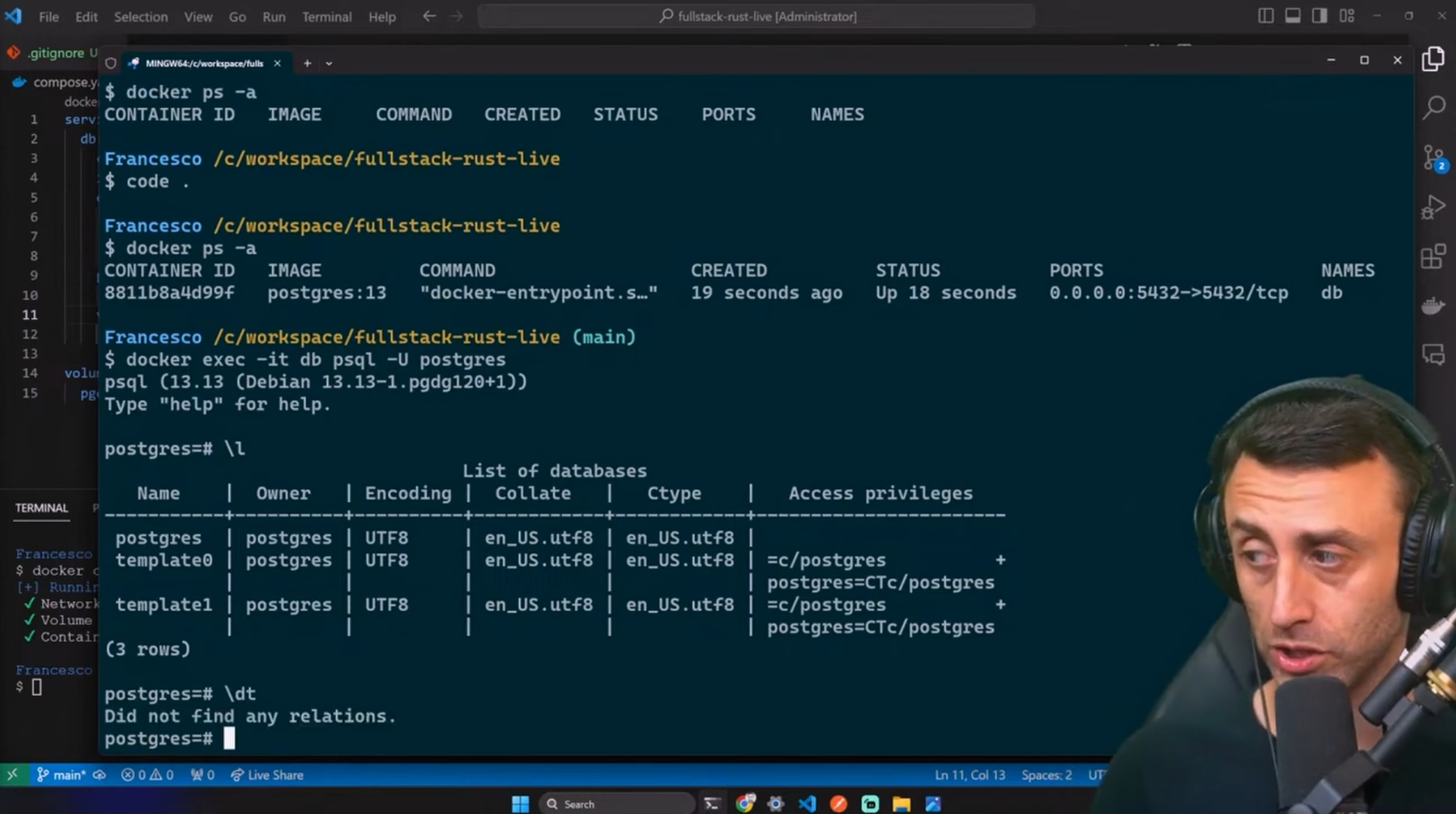
You can now exit the container with the exit command.
3. Backend
The first step is done. Now, we will create the backend. We will use Rust.
Let's create the backend app using cargo, the Rust package manager.
cargo new backend
Open the file called Cargo.toml and add the following content:
postgres = "0.19"
serde = "1.0"
serde_json = "1.0"
serde_derive = "1.0"
postgres is the Postgres driver for Rust. serde is a library to serialize and deserialize. serde_json is a library specific for JSON. serde_derive is a library to derive the Serialize and Deserialize traits (macro)
Your Cargo.toml file should look like this:
[package]
name = "rust-crud-api"
version = "0.1.0"
edition = "2021"

# See more keys and their definitions at https://doc.rust-lang.org/cargo/reference/manifest.html

[dependencies]
postgres = "0.19"
serde = "1.0"
serde_json = "1.0"
serde_derive = "1.0"
Please notice that the Package name could differ based on the name you gave to your project.
Your project should now look like this:
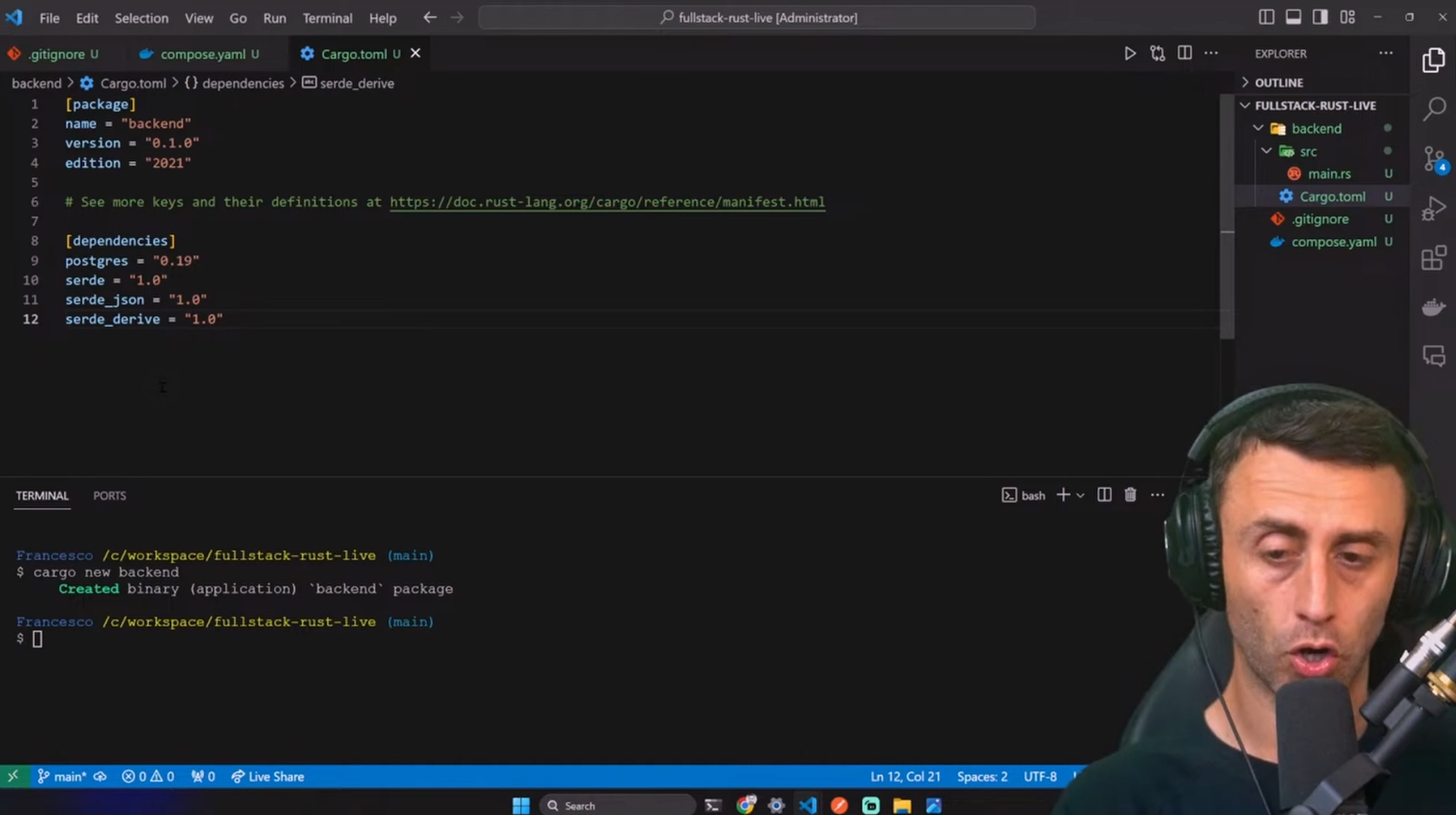
We are now ready to code the application.
👩💻 Code the Rust backend application
We will go step by step:
Import the dependencies.
Create the model (a user with Id, name, and email) and add constants.
Main function: database connection and TCP server.
Utility functions: set_database, get_id, get_user_request_body.
Create the routes in a function (endpoints).
Create utility functions.
Create the controllers.
For this project, we will code everything in a single file of ~200 lines of code.
This is not a best practice, but it will help us focus on the Rust code, not the project structure.
All the code is available on GitHub (link in the video description).
⬇️ Import the dependencies
Open the main.rs file, in the src folder, delete all the code, and add the following imports:
use postgres::{ Client, NoTls };
use postgres::Error as PostgresError;
use std::net::{ TcpListener, TcpStream };
use std::io::{ Read, Write };
use std::env;

#[macro_use]
extern crate serde_derive;
Client is used to connect to the database. NoTls is used to connect to the database without TLS. PostgresError is the error type returned by the Postgres driver. TcpListener and TcpStream to create a TCP server. Read and Write are used to read and write from a TCP stream. env is used to read the environment variables.
the #[macro_use] attribute is used to import the serde_derive macro.
We will use it to derive our model's Serialize and Deserialize traits.
🥻 Create the model
Just below the imports, add the following code:
//Model: User struct with id, name, email
#[derive(Serialize, Deserialize)]
struct User {
    id: Option<i32>,
    name: String,
    email: String,
}
We will use this model to represent a user in our application.
idis an integer and is optional. The reason is that we don't provide the id when we create or update a new user. The database will generate it for us. But we still want to return the user with an id when we get them.nameis a string, and it is mandatory. We will use it to store the name of the user.emailis a string, and it is mandatory. We will use it to store the user's email (there is no check if it's a valid email).
🪨 Constants
Just below the model, add the following constants:
//DATABASE URL
const DB_URL: &str = env!("DATABASE_URL");

//constants
const OK_RESPONSE: &str =
    "HTTP/1.1 200 OK\r\nContent-Type: application/json\r\nAccess-Control-Allow-Origin: *\r\nAccess-Control-Allow-Methods: GET, POST, PUT, DELETE\r\nAccess-Control-Allow-Headers: Content-Type\r\n\r\n";
const NOT_FOUND: &str = "HTTP/1.1 404 NOT FOUND\r\n\r\n";
const INTERNAL_ERROR: &str = "HTTP/1.1 500 INTERNAL ERROR\r\n\r\n";
DATABASE_URLis the environment variable that we will use to connect to the database. We will set it later.OK_RESPONSEis the response that we will send when everything is ok. It contains the status code, the content type, and the CORS headers.NOT_FOUNDis the response that we will send when the requested resource is not found.INTERNAL_ERRORis the response that we will send when there is an internal error.
🏠 Main function
Just below the constants, add the following code:
//main function
fn main() {
    //Set Database
    if let Err(_) = set_database() {
        println!("Error setting database");
        return;
    }

    //start server and print port
    let listener = TcpListener::bind(format!("0.0.0.0:8080")).unwrap();
    println!("Server listening on port 8080");

    for stream in listener.incoming() {
        match stream {
            Ok(stream) => {
                handle_client(stream);
            }
            Err(e) => {
                println!("Unable to connect: {}", e);
            }
        }
    }
}
set_databaseis a function that we will create later. It will be used to connect to the database.TcpListener::bindis used to create a TCP server listening on port 8080.listener.incoming()is used to get the incoming connections.
⛑️ Utility functions
Now, out of the main function, add the three following utility functions. I will keep them at the bottom of the file, but you can put them wherever you want.
//db setup
fn set_database() -> Result<(), PostgresError> {
    let mut client = Client::connect(DB_URL, NoTls)?;
    client.batch_execute(
        "
        CREATE TABLE IF NOT EXISTS users (
            id SERIAL PRIMARY KEY,
            name VARCHAR NOT NULL,
            email VARCHAR NOT NULL
        )
    "
    )?;
    Ok(())
}

//Get id from request URL
fn get_id(request: &str) -> &str {
    request.split("/").nth(4).unwrap_or_default().split_whitespace().next().unwrap_or_default()
}

//deserialize user from request body without id
fn get_user_request_body(request: &str) -> Result<User, serde_json::Error> {
    serde_json::from_str(request.split("\r\n\r\n").last().unwrap_or_default())
}
set_databaseconnects to the database and creates theuserstable if it doesn't exist.get_idis used to get the id from the request URL.get_user_request_bodyis used to deserialize the user from the request body (without the id) for theCreateandUpdateendpoints.
🚦 Handle client
Between the main function and the utility functions, add the following code (no worries, there will be the final code at the end of the article):
//handle requests
fn handle_client(mut stream: TcpStream) {
    let mut buffer = [0; 1024];
    let mut request = String::new();

    match stream.read(&mut buffer) {
        Ok(size) => {
            request.push_str(String::from_utf8_lossy(&buffer[..size]).as_ref());

            let (status_line, content) = match &*request {
                r if r.starts_with("OPTIONS") => (OK_RESPONSE.to_string(), "".to_string()),
                r if r.starts_with("POST /api/rust/users") => handle_post_request(r),
                r if r.starts_with("GET /api/rust/users/") => handle_get_request(r),
                r if r.starts_with("GET /api/rust/users") => handle_get_all_request(r),
                r if r.starts_with("PUT /api/rust/users/") => handle_put_request(r),
                r if r.starts_with("DELETE /api/rust/users/") => handle_delete_request(r),
                _ => (NOT_FOUND.to_string(), "404 not found".to_string()),
            };

            stream.write_all(format!("{}{}", status_line, content).as_bytes()).unwrap();
        }
        Err(e) => eprintln!("Unable to read stream: {}", e),
    }
}
We create a buffer and then a string for the incoming requests.
Using the match statement in Rust, we can check the request and call the right function to handle it.
If we don't have a match, we send back a 404 error.
Last, we set the stream to write the response back to the client and handle any error.
🎛️ Controllers
Now, let's create the functions that will handle the requests.
They are five functions, one for each endpoint:
handle_post_requestfor theCreateendpointhandle_get_requestfor theReadendpointhandle_get_all_requestfor theRead Allendpointhandle_put_requestfor theUpdateendpointhandle_delete_requestfor theDeleteendpoint
Add the code below the handle_client function:
//handle post request
fn handle_post_request(request: &str) -> (String, String) {
    match (get_user_request_body(request), Client::connect(DB_URL, NoTls)) {
        (Ok(user), Ok(mut client)) => {
            // Insert the user and retrieve the ID
            let row = client
                .query_one(
                    "INSERT INTO users (name, email) VALUES ($1, $2) RETURNING id",
                    &[&user.name, &user.email]
                )
                .unwrap();

            let user_id: i32 = row.get(0);

            // Fetch the created user data
            match client.query_one("SELECT id, name, email FROM users WHERE id = $1", &[&user_id]) {
                Ok(row) => {
                    let user = User {
                        id: Some(row.get(0)),
                        name: row.get(1),
                        email: row.get(2),
                    };

                    (OK_RESPONSE.to_string(), serde_json::to_string(&user).unwrap())
                }
                Err(_) =>
                    (INTERNAL_ERROR.to_string(), "Failed to retrieve created user".to_string()),
            }
        }
        _ => (INTERNAL_ERROR.to_string(), "Internal error".to_string()),
    }
}

//handle get request
fn handle_get_request(request: &str) -> (String, String) {
    match (get_id(&request).parse::<i32>(), Client::connect(DB_URL, NoTls)) {
        (Ok(id), Ok(mut client)) =>
            match client.query_one("SELECT * FROM users WHERE id = $1", &[&id]) {
                Ok(row) => {
                    let user = User {
                        id: row.get(0),
                        name: row.get(1),
                        email: row.get(2),
                    };

                    (OK_RESPONSE.to_string(), serde_json::to_string(&user).unwrap())
                }
                _ => (NOT_FOUND.to_string(), "User not found".to_string()),
            }

        _ => (INTERNAL_ERROR.to_string(), "Internal error".to_string()),
    }
}

//handle get all request
fn handle_get_all_request(_request: &str) -> (String, String) {
    match Client::connect(DB_URL, NoTls) {
        Ok(mut client) => {
            let mut users = Vec::new();

            for row in client.query("SELECT id, name, email FROM users", &[]).unwrap() {
                users.push(User {
                    id: row.get(0),
                    name: row.get(1),
                    email: row.get(2),
                });
            }

            (OK_RESPONSE.to_string(), serde_json::to_string(&users).unwrap())
        }
        _ => (INTERNAL_ERROR.to_string(), "Internal error".to_string()),
    }
}

//handle put request
fn handle_put_request(request: &str) -> (String, String) {
    match
        (
            get_id(&request).parse::<i32>(),
            get_user_request_body(&request),
            Client::connect(DB_URL, NoTls),
        )
    {
        (Ok(id), Ok(user), Ok(mut client)) => {
            client
                .execute(
                    "UPDATE users SET name = $1, email = $2 WHERE id = $3",
                    &[&user.name, &user.email, &id]
                )
                .unwrap();

            (OK_RESPONSE.to_string(), "User updated".to_string())
        }
        _ => (INTERNAL_ERROR.to_string(), "Internal error".to_string()),
    }
}

//handle delete request
fn handle_delete_request(request: &str) -> (String, String) {
    match (get_id(&request).parse::<i32>(), Client::connect(DB_URL, NoTls)) {
        (Ok(id), Ok(mut client)) => {
            let rows_affected = client.execute("DELETE FROM users WHERE id = $1", &[&id]).unwrap();

            //if rows affected is 0, user not found
            if rows_affected == 0 {
                return (NOT_FOUND.to_string(), "User not found".to_string());
            }

            (OK_RESPONSE.to_string(), "User deleted".to_string())
        }
        _ => (INTERNAL_ERROR.to_string(), "Internal error".to_string()),
    }
}
Some use the
get_idfunction to get the id from the request URL.The
get_user_request_bodyfunction is used to get the user from the request body in JSON format and deserialize it into aUserstruct.There is some error handling in case the request is invalid, or the database connection fails.
📝 Recap of the Rust backend application
Here is the complete main.rs file:
use postgres::{ Client, NoTls };
use postgres::Error as PostgresError;
use std::net::{ TcpListener, TcpStream };
use std::io::{ Read, Write };
use std::env;

#[macro_use]
extern crate serde_derive;

//Model: User struct with id, name, email
#[derive(Serialize, Deserialize)]
struct User {
    id: Option<i32>,
    name: String,
    email: String,
}

//DATABASE URL
const DB_URL: &str = env!("DATABASE_URL");

//constants
const OK_RESPONSE: &str =
    "HTTP/1.1 200 OK\r\nContent-Type: application/json\r\nAccess-Control-Allow-Origin: *\r\nAccess-Control-Allow-Methods: GET, POST, PUT, DELETE\r\nAccess-Control-Allow-Headers: Content-Type\r\n\r\n";
const NOT_FOUND: &str = "HTTP/1.1 404 NOT FOUND\r\n\r\n";
const INTERNAL_ERROR: &str = "HTTP/1.1 500 INTERNAL ERROR\r\n\r\n";

//main function
fn main() {
    //Set Database
    if let Err(_) = set_database() {
        println!("Error setting database");
        return;
    }

    //start server and print port
    let listener = TcpListener::bind(format!("0.0.0.0:8080")).unwrap();
    println!("Server listening on port 8080");

    for stream in listener.incoming() {
        match stream {
            Ok(stream) => {
                handle_client(stream);
            }
            Err(e) => {
                println!("Unable to connect: {}", e);
            }
        }
    }
}

//handle requests
fn handle_client(mut stream: TcpStream) {
    let mut buffer = [0; 1024];
    let mut request = String::new();

    match stream.read(&mut buffer) {
        Ok(size) => {
            request.push_str(String::from_utf8_lossy(&buffer[..size]).as_ref());

            let (status_line, content) = match &*request {
                r if r.starts_with("OPTIONS") => (OK_RESPONSE.to_string(), "".to_string()),
                r if r.starts_with("POST /api/rust/users") => handle_post_request(r),
                r if r.starts_with("GET /api/rust/users/") => handle_get_request(r),
                r if r.starts_with("GET /api/rust/users") => handle_get_all_request(r),
                r if r.starts_with("PUT /api/rust/users/") => handle_put_request(r),
                r if r.starts_with("DELETE /api/rust/users/") => handle_delete_request(r),
                _ => (NOT_FOUND.to_string(), "404 not found".to_string()),
            };

            stream.write_all(format!("{}{}", status_line, content).as_bytes()).unwrap();
        }
        Err(e) => eprintln!("Unable to read stream: {}", e),
    }
}

//handle post request
fn handle_post_request(request: &str) -> (String, String) {
    match (get_user_request_body(request), Client::connect(DB_URL, NoTls)) {
        (Ok(user), Ok(mut client)) => {
            // Insert the user and retrieve the ID
            let row = client
                .query_one(
                    "INSERT INTO users (name, email) VALUES ($1, $2) RETURNING id",
                    &[&user.name, &user.email]
                )
                .unwrap();

            let user_id: i32 = row.get(0);

            // Fetch the created user data
            match client.query_one("SELECT id, name, email FROM users WHERE id = $1", &[&user_id]) {
                Ok(row) => {
                    let user = User {
                        id: Some(row.get(0)),
                        name: row.get(1),
                        email: row.get(2),
                    };

                    (OK_RESPONSE.to_string(), serde_json::to_string(&user).unwrap())
                }
                Err(_) =>
                    (INTERNAL_ERROR.to_string(), "Failed to retrieve created user".to_string()),
            }
        }
        _ => (INTERNAL_ERROR.to_string(), "Internal error".to_string()),
    }
}

//handle get request
fn handle_get_request(request: &str) -> (String, String) {
    match (get_id(&request).parse::<i32>(), Client::connect(DB_URL, NoTls)) {
        (Ok(id), Ok(mut client)) =>
            match client.query_one("SELECT * FROM users WHERE id = $1", &[&id]) {
                Ok(row) => {
                    let user = User {
                        id: row.get(0),
                        name: row.get(1),
                        email: row.get(2),
                    };

                    (OK_RESPONSE.to_string(), serde_json::to_string(&user).unwrap())
                }
                _ => (NOT_FOUND.to_string(), "User not found".to_string()),
            }

        _ => (INTERNAL_ERROR.to_string(), "Internal error".to_string()),
    }
}

//handle get all request
fn handle_get_all_request(_request: &str) -> (String, String) {
    match Client::connect(DB_URL, NoTls) {
        Ok(mut client) => {
            let mut users = Vec::new();

            for row in client.query("SELECT id, name, email FROM users", &[]).unwrap() {
                users.push(User {
                    id: row.get(0),
                    name: row.get(1),
                    email: row.get(2),
                });
            }

            (OK_RESPONSE.to_string(), serde_json::to_string(&users).unwrap())
        }
        _ => (INTERNAL_ERROR.to_string(), "Internal error".to_string()),
    }
}

//handle put request
fn handle_put_request(request: &str) -> (String, String) {
    match
        (
            get_id(&request).parse::<i32>(),
            get_user_request_body(&request),
            Client::connect(DB_URL, NoTls),
        )
    {
        (Ok(id), Ok(user), Ok(mut client)) => {
            client
                .execute(
                    "UPDATE users SET name = $1, email = $2 WHERE id = $3",
                    &[&user.name, &user.email, &id]
                )
                .unwrap();

            (OK_RESPONSE.to_string(), "User updated".to_string())
        }
        _ => (INTERNAL_ERROR.to_string(), "Internal error".to_string()),
    }
}

//handle delete request
fn handle_delete_request(request: &str) -> (String, String) {
    match (get_id(&request).parse::<i32>(), Client::connect(DB_URL, NoTls)) {
        (Ok(id), Ok(mut client)) => {
            let rows_affected = client.execute("DELETE FROM users WHERE id = $1", &[&id]).unwrap();

            //if rows affected is 0, user not found
            if rows_affected == 0 {
                return (NOT_FOUND.to_string(), "User not found".to_string());
            }

            (OK_RESPONSE.to_string(), "User deleted".to_string())
        }
        _ => (INTERNAL_ERROR.to_string(), "Internal error".to_string()),
    }
}

//db setup
fn set_database() -> Result<(), PostgresError> {
    let mut client = Client::connect(DB_URL, NoTls)?;
    client.batch_execute(
        "
        CREATE TABLE IF NOT EXISTS users (
            id SERIAL PRIMARY KEY,
            name VARCHAR NOT NULL,
            email VARCHAR NOT NULL
        )
    "
    )?;
    Ok(())
}

//Get id from request URL
fn get_id(request: &str) -> &str {
    request.split("/").nth(4).unwrap_or_default().split_whitespace().next().unwrap_or_default()
}

//deserialize user from request body without id
fn get_user_request_body(request: &str) -> Result<User, serde_json::Error> {
    serde_json::from_str(request.split("\r\n\r\n").last().unwrap_or_default())
}
We are done with the app code. Now it's the turn of Docker.
🐳 Dockerize the backend
We will build the Rust app directly inside the image. We will use an official Rust image as the base image. We will also use the official Postgres image as a base image for the database.
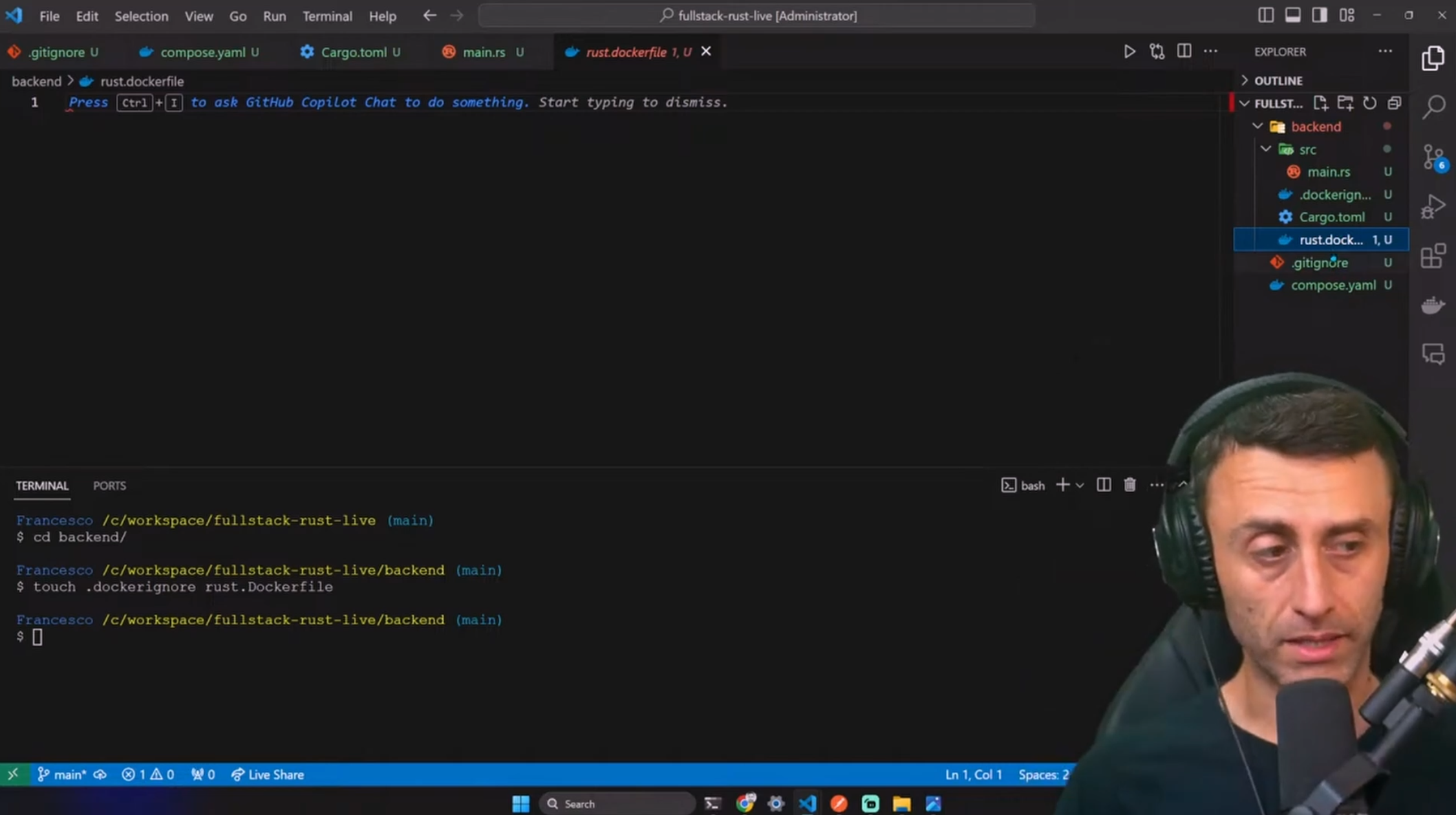
We will create 2 files:
.dockerignore: to ignore files and folders that we don't want to copy in the image filesystem
rust.dockerfile: to build the Rust image
You can create them using the terminal or your code editor.
touch .dockerignore rust.dockerfile
Your project should look like this:
🚫 .dockerignore
Open the .dockerignore file and add the following:
**/target
This is to avoid copying the target folder in the image filesystem.
🐋 Dockerfile
We will use a multi-stage build. We will have:
a build stage: to build the Rust app
a production stage: to run the Rust app
Open the Dockerfile and add the following (explanations in comments):
# Build stage
FROM rust:1.69-buster as builder

WORKDIR /app

# Accept the build argument
ARG DATABASE_URL

# Make sure to use the ARG in ENV
ENV DATABASE_URL=$DATABASE_URL

# Copy the source code
COPY . .

# Build the application
RUN cargo build --release


# Production stage
FROM debian:buster-slim

WORKDIR /usr/local/bin

COPY --from=builder /app/target/release/backend .

CMD ["./backend"]
Please note that we use backend as the executable's name. This is the name of the project folder. If you have a different name, please change it.
🐙 Update the Docker Compose file
Open the compose.yaml file and add the following content:
rustapp:
    container_name: rustapp
    image: francescoxx/rustapp:1.0.0
    build:
      context: ./backend
      dockerfile: rust.dockerfile
      args:
        DATABASE_URL: postgres://postgres:postgres@db:5432/postgres
    ports:
      - '8080:8080'
    depends_on:
      - db
container_nameis the name of the containerimageis the name of the imagebuildis the build configurationportsis the port mappingdepends_onis the dependency on the database containerNotice that the
DATABASE_URLbuild argument is set topostgres://postgres:postgres@db:5432/postgres.dbis the name of the service (and the container_name) of the Postgres container so that it will be resolved to the container IP address.We use the
argproperty to pass theDATABASE_URLbuild argument to the Dockerfile.We also use a named volume,
pg_data, to persist the database data.
Your compose.yaml file should look like this:
services:
  rustapp:
    container_name: rustapp
    image: francescoxx/rustapp:1.0.0
    build:
      context: ./backend
      dockerfile: rust.dockerfile
      args:
        DATABASE_URL: postgres://postgres:postgres@db:5432/postgres
    ports:
      - '8080:8080'
    depends_on:
      - db
  db:
    container_name: db
    image: postgres:13
    environment:
      POSTGRES_USER: postgres
      POSTGRES_PASSWORD: postgres
      POSTGRES_DB: postgres
    ports:
      - 5432:5432
    volumes:
      - pgdata:/var/lib/postgresql/data

volumes:
  pgdata: {}
Now it's time to build the image and run the Rust backend app.
🏗️ Build the image and run the Rust backend app
We need 2 more steps:
build the Rust app image
run the Rust app container
🏗️ Build the Rust app image
It's time to build the Rust app image. We will use the docker compose build command. This will build the image using the Dockerfile we created before.
(Note: we might type docker compose up, but by doing that, we would skip understanding what's happening. In a nutshell, when we type docker compose up, Docker builds the images if needed and then runs the containers).
docker compose build
This takes time because we are building the Rust app inside the image.
After ~180 seconds (!), we should have the image built. This could be improved by using the cache of the Toml.lock file, but we want to make the example as simple as possible (we still have the whole next.js app to build!).
👟 Run the Rust Container
docker compose up -d rustapp
Now you can check if the container is running:
docker ps -a
Lastly, you can check the postgres database by typing:
docker exec -it db psql -U postgres
\dt
select * from users;

This does mean that the Rust app created the schema (in our case just a single table) and that the database is working.
🧪 Test the application
Since we don't have our frontend yet, we will use Postman to test the backend.
get all users
create 1 user
create 2nd user
get all users
get user by id
update user
delete user
get all users (final check)
Let's check the endpoints. To get all the users, we can make a GET request to http://localhost:8080/api/rust/users.
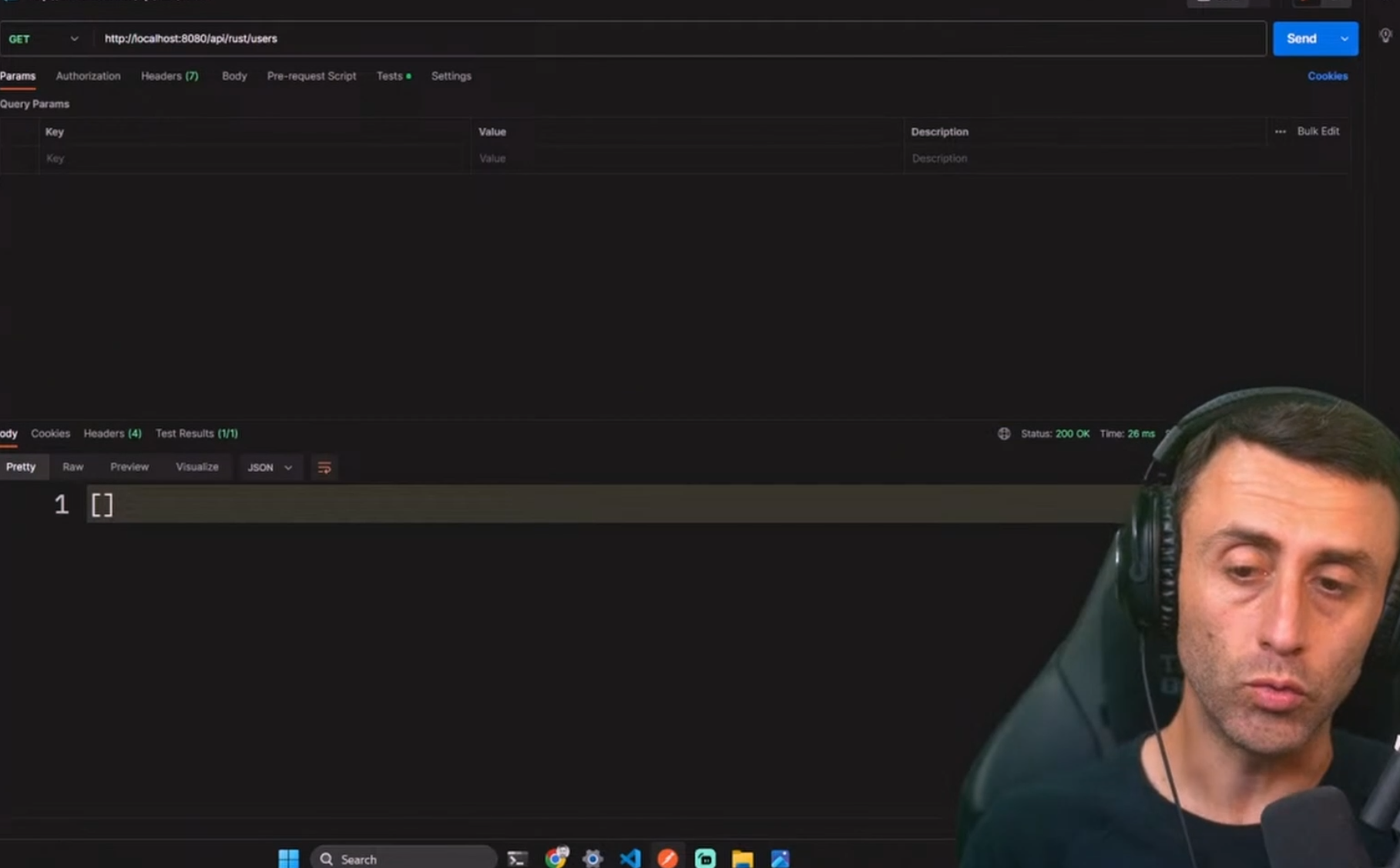
And we should have an empty array.
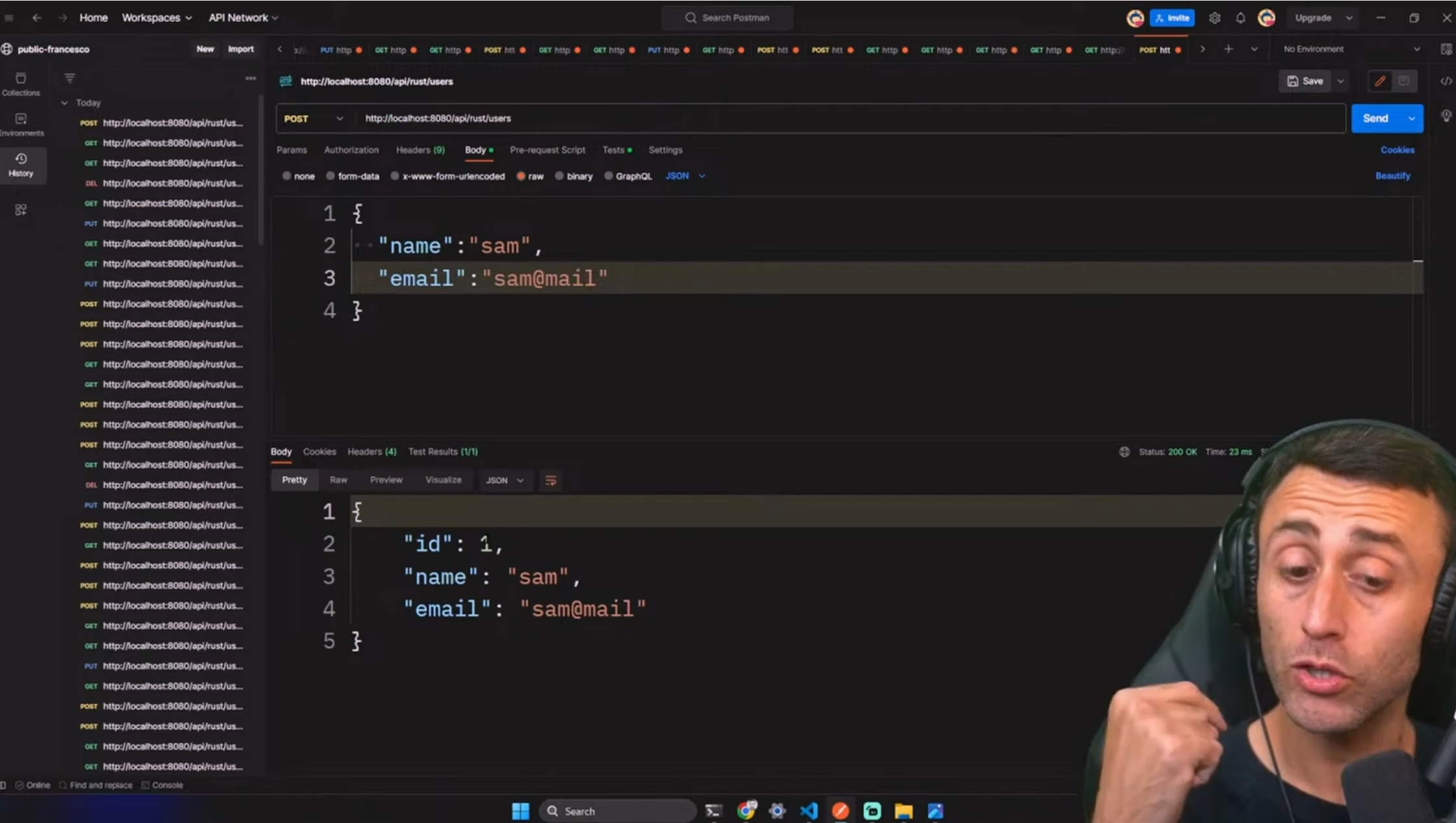
Let's create a user. We can make a POST request to http://localhost:8080/api/rust/users with the following body:
{
    "name": "sam",
    "email": "sam@mail"
}
Here is how the request looks like in Postman:
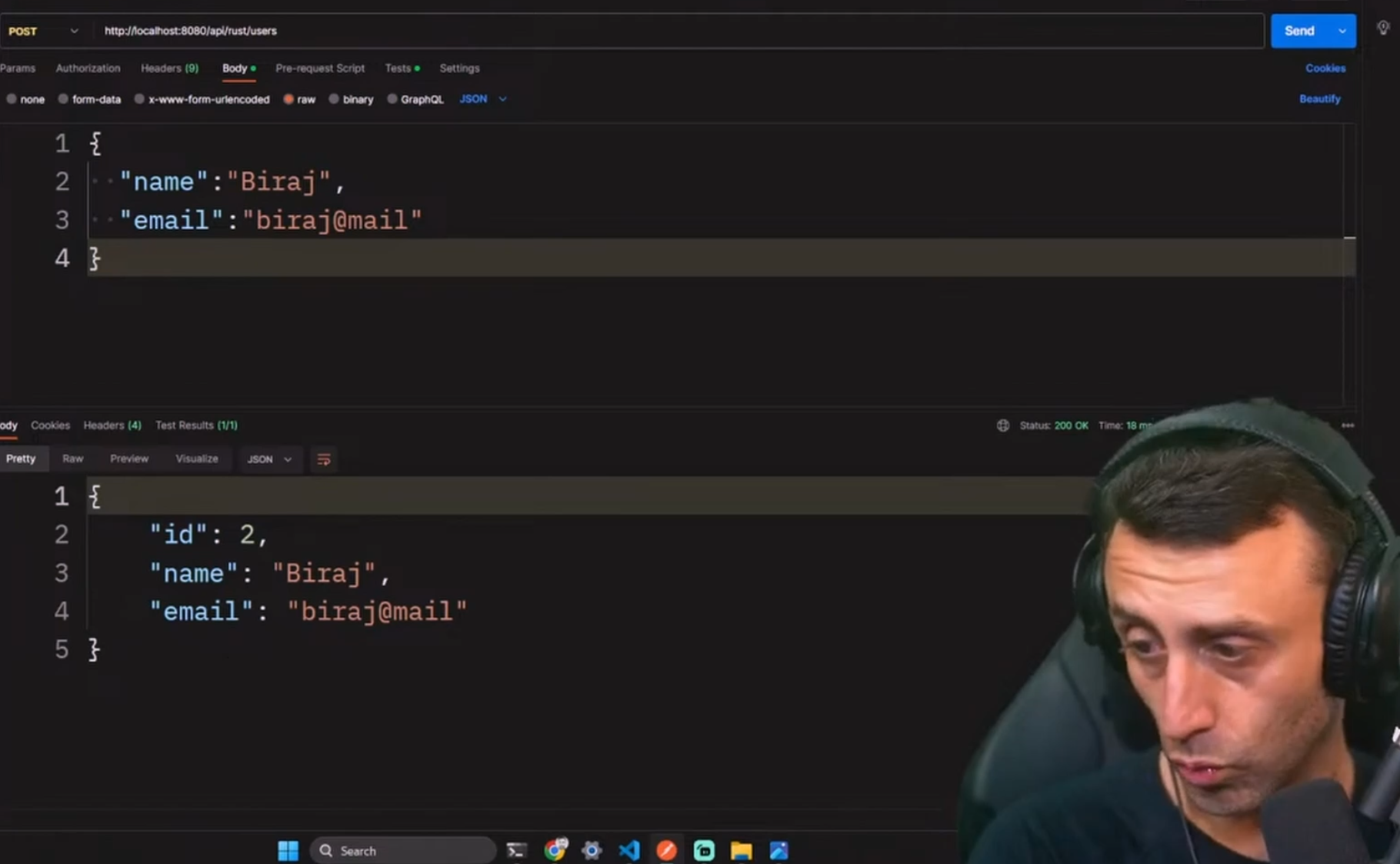
Let's create a second user. We can make a POST request to http://localhost:8080/api/rust/users with the following body:
{
    "name": "Biraj",
    "email": "biraj@mail"
}
Here is how the request looks like in Postman:
Let's create a third user. We can make a POST request to http://localhost:8080/api/rust/users with the following body:
{
    "name": "Emmanuel",
    "email": "emmanuel@mail"
}
Here is how the request looks like in Postman:

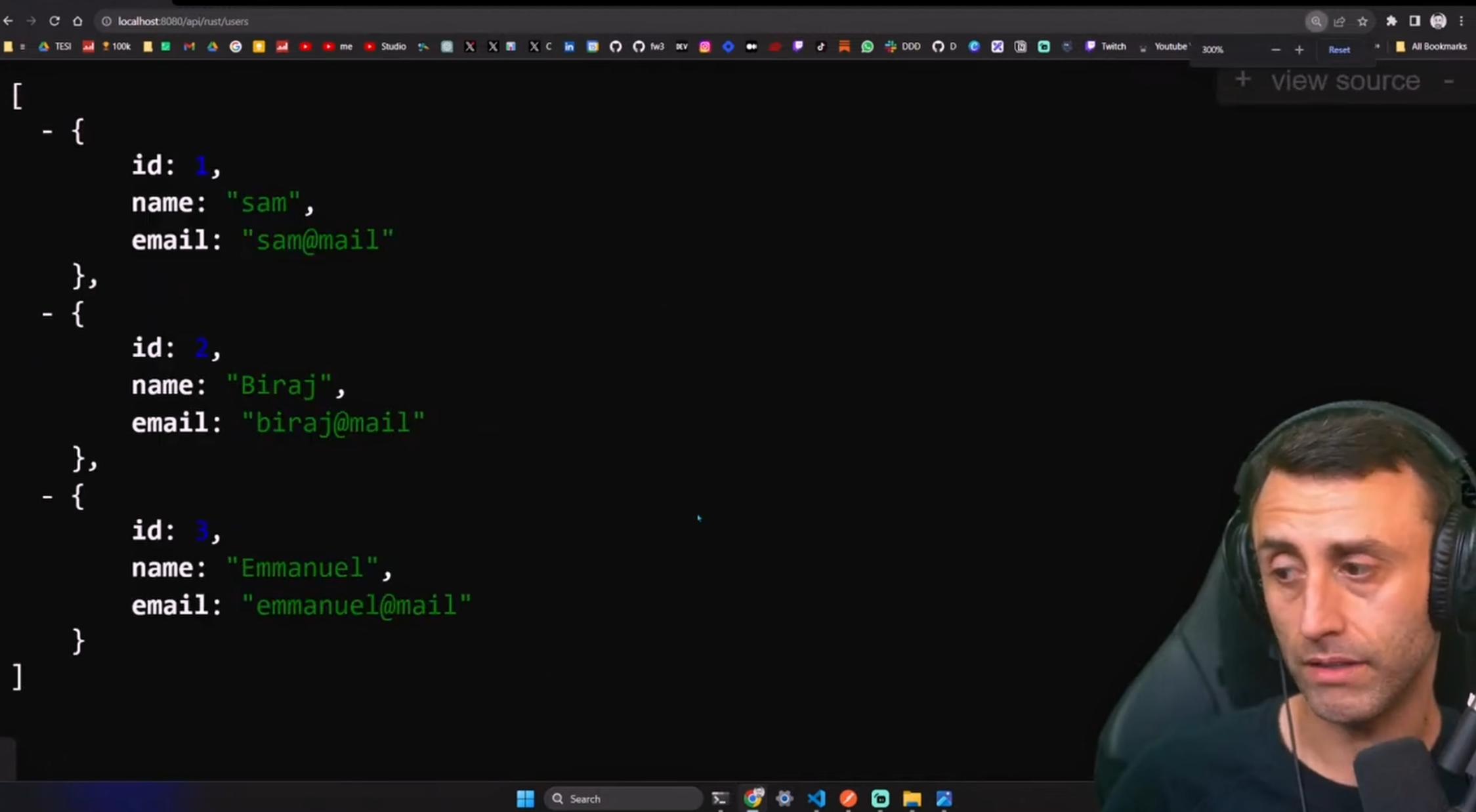
If we go on localhost:8080/api/rust/users, we should see the three users:
[
    {
        "id": 1,
        "name": "sam",
        "email": "sam@mail"
    },
    {
        "id": 2,
        "name": "Biraj",
        "email": "biraj@mail"
    },
    {
        "id": 3,
        "name": "Emmanuel",
        "email": "emmanuel@mail"
    }
]
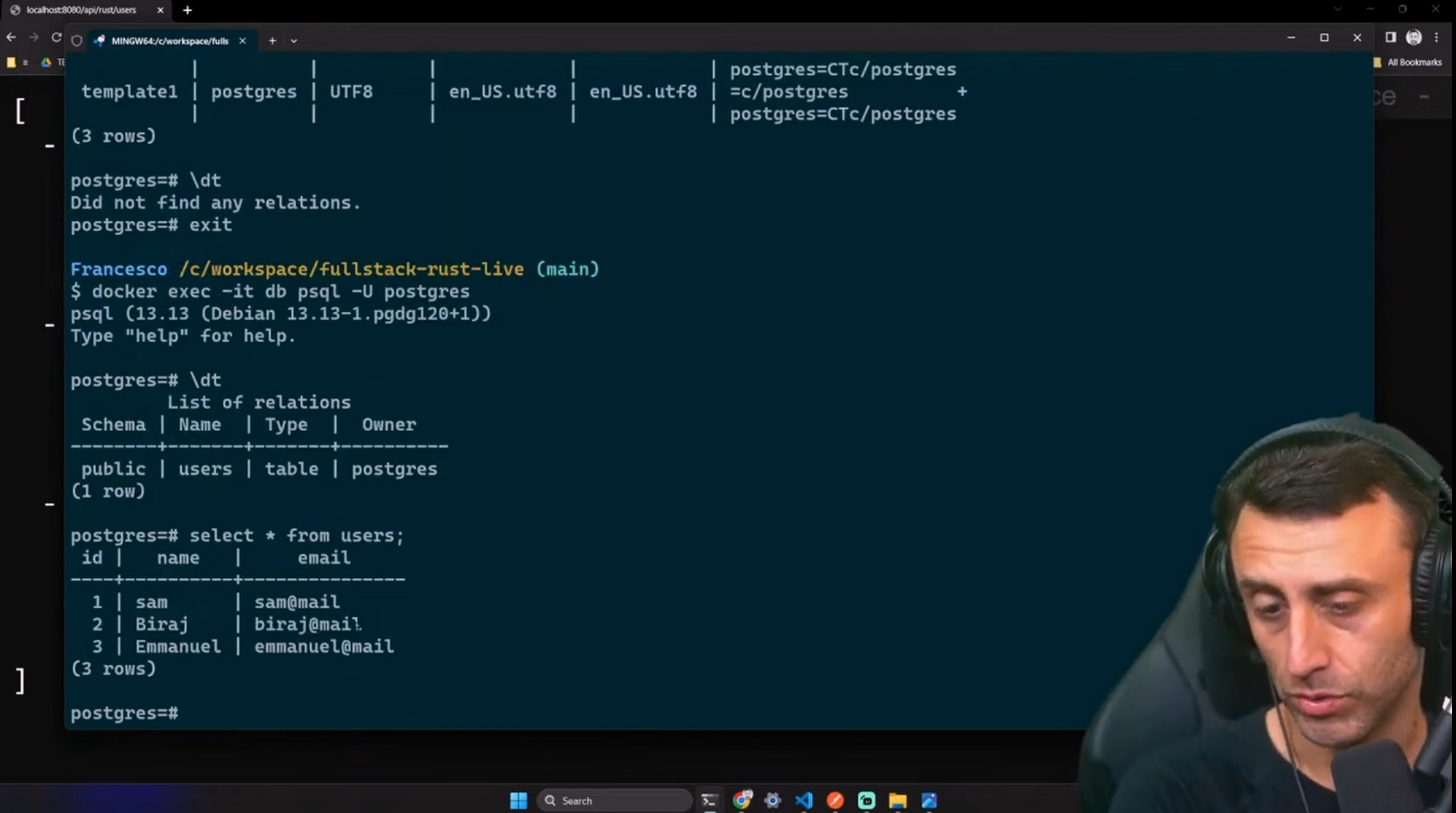
If we go back on the psql command, and we type select * from users;, we should see the three users (we can get inside the container with the command docker exec -it db psql -U postgres):
Let's try to update the user with id 2. We can make a PUT request to http://localhost:8080/api/rust/users/3 with the following body:
{
    "name": "like thevideo",
    "email": "sunscribe@mail"
}
The request should look like this in Postman:
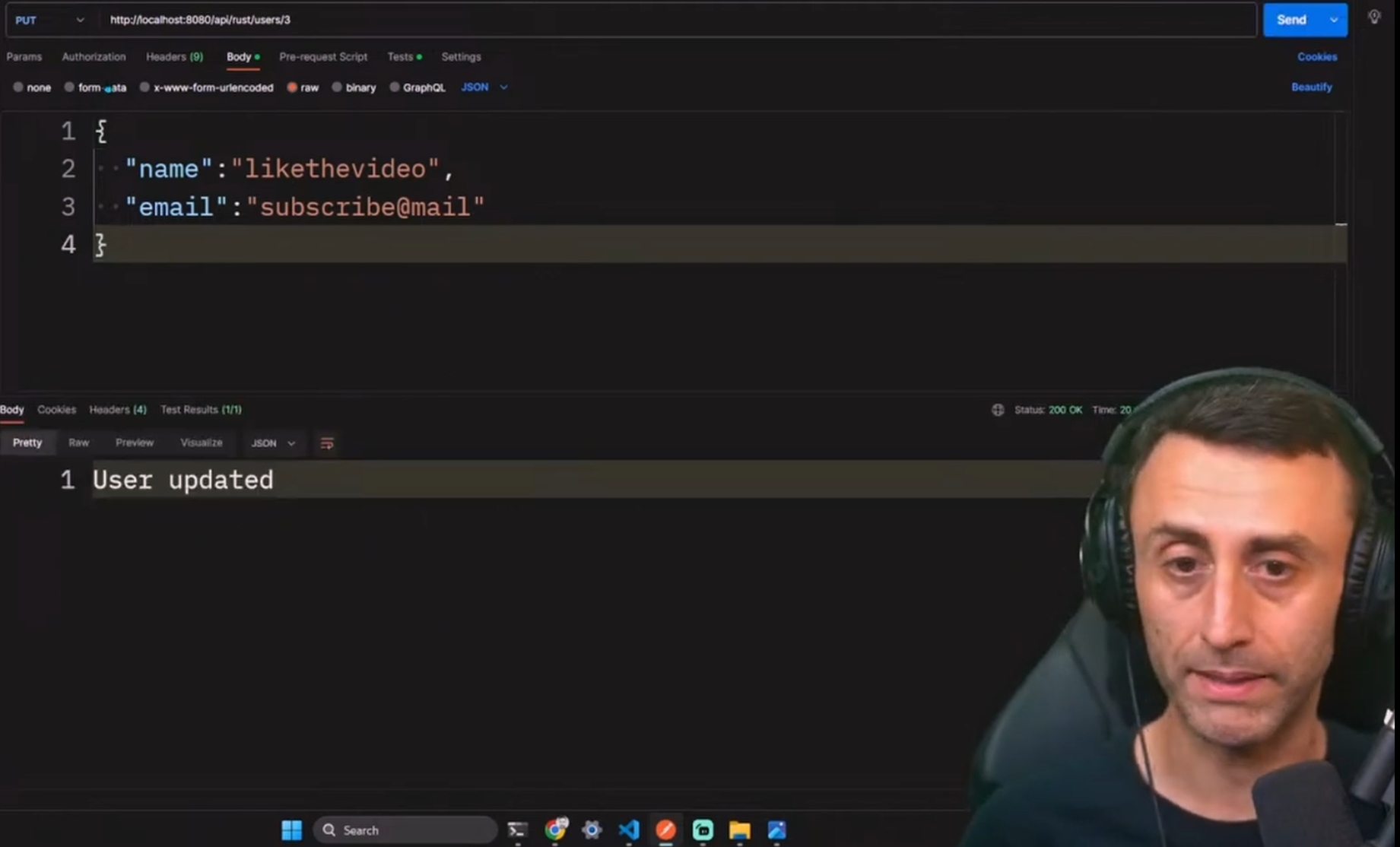
Last, we can delete the user with id 2. We can make a DELETE request to http://localhost:8080/api/rust/users/2.
The request should look like this in Postman:

We are now ready to build the frontend.
4. Frontend
Now that we have the backend up and running, we can proceed with the frontend.
We will use Next.js 14 with TypeScript and Tailwind.
From the root folder of the project,
cd ..
And from the root folder of the project, run this command:
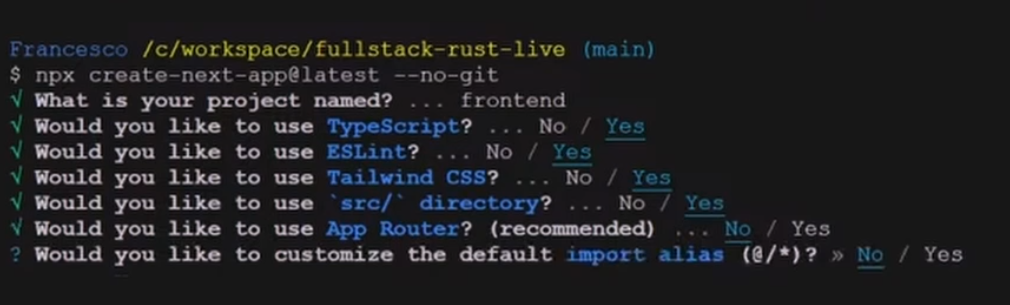
npx create-next-app@latest --no-git
We use the --no-git flag because we already initialized a git repository at the project's root.
As options:
What is your project named?
frontendTypeScript?
YesEsLint?
YesTailwind CSS?
YesUse the default directory structure?
YesApp Router?
No(not needed for this project)Customize the default import alias?
No
This should create a new Next.js project in about one minute.
Step into the frontend folder:
cd frontend
Install Axios, we will use it to make HTTP requests (be sure to be in the frontend folder):
npm i axios
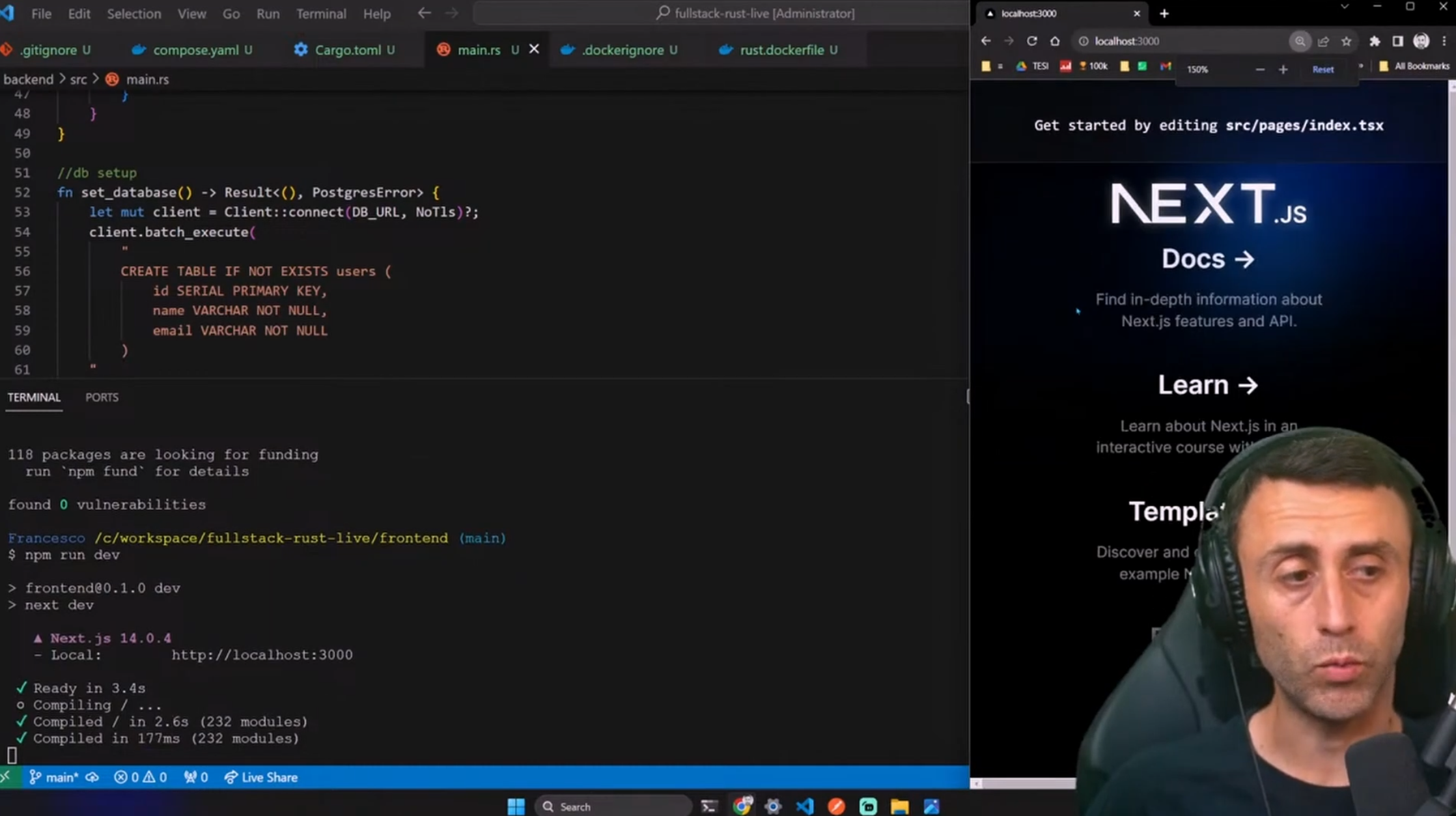
Before we proceed, try to run the project:
npm run dev
And open your browser at http://localhost:3000. You should see the default Next.js page.
Modify the styles/global.css file
In the src/frontend/src/styles/globals.css file, replace the content with this one (to avoid some problems with Tailwind):
@tailwind base;
@tailwind components;
@tailwind utilities;

:root {
  --foreground-rgb: 0, 0, 0;
  --background-start-rgb: 214, 219, 220;
  --background-end-rgb: 255, 255, 255;
}

body {
  color: rgb(var(--foreground-rgb));
  background: linear-gradient(
      to bottom,
      transparent,
      rgb(var(--background-end-rgb))
    )
    rgb(var(--background-start-rgb));
}
Create a new component
In the /frontend/src folder, create a new folder called components and inside it create a new file called CardComponent.tsx and add the following content:
import React from 'react';

interface Card {
  id: number;
  name: string;
  email: string;
}

const CardComponent: React.FC<{ card: Card }> = ({ card }) => {
  return (
    <div className="bg-white shadow-lg rounded-lg p-2 mb-2 hover:bg-gray-100">
      <div className="text-sm text-gray-600">ID: {card.id}</div>
      <div className="text-lg font-semibold text-gray-800">{card.name}</div>
      <div className="text-md text-gray-700">{card.email}</div>
    </div>
  );
};

export default CardComponent;
Create a UserInterface component
In the /frontend/src/components folder, create a file called UserInterface.tsx and add the following content:
import React, { useState, useEffect } from 'react';
import axios from 'axios';
import CardComponent from './CardComponent';

interface User {
  id: number;
  name: string;
  email: string;
}

interface UserInterfaceProps {
  backendName: string;
}

const UserInterface: React.FC<UserInterfaceProps> = ({ backendName }) => {
  const apiUrl = process.env.NEXT_PUBLIC_API_URL || 'http://localhost:8080';
  const [users, setUsers] = useState<User[]>([]);
  const [newUser, setNewUser] = useState({ name: '', email: '' });
  const [updateUser, setUpdateUser] = useState({ id: '', name: '', email: '' });

  // Define styles based on the backend name
  const backgroundColors: { [key: string]: string } = {
    rust: 'bg-orange-500',
  };

  const buttonColors: { [key: string]: string } = {
    rust: 'bg-orange-700 hover:bg-orange-600',
  };

  const bgColor = backgroundColors[backendName as keyof typeof backgroundColors] || 'bg-gray-200';
  const btnColor = buttonColors[backendName as keyof typeof buttonColors] || 'bg-gray-500 hover:bg-gray-600';

  // Fetch users
  useEffect(() => {
    const fetchData = async () => {
      try {
        const response = await axios.get(`${apiUrl}/api/${backendName}/users`);
        setUsers(response.data.reverse());
      } catch (error) {
        console.error('Error fetching data:', error);
      }
    };

    fetchData();
  }, [backendName, apiUrl]);

  // Create a user
  const createUser = async (e: React.FormEvent<HTMLFormElement>) => {
    e.preventDefault();
    try {
      const response = await axios.post(`${apiUrl}/api/${backendName}/users`, newUser);
      setUsers([response.data, ...users]);
      setNewUser({ name: '', email: '' });
    } catch (error) {
      console.error('Error creating user:', error);
    }
  };

  // Update a user
  const handleUpdateUser = async (e: React.FormEvent<HTMLFormElement>) => {
    e.preventDefault();
    try {
      await axios.put(`${apiUrl}/api/${backendName}/users/${updateUser.id}`, { name: updateUser.name, email: updateUser.email });
      setUpdateUser({ id: '', name: '', email: '' });
      setUsers(
        users.map((user) => {
          if (user.id === parseInt(updateUser.id)) {
            return { ...user, name: updateUser.name, email: updateUser.email };
          }
          return user;
        })
      );
    } catch (error) {
      console.error('Error updating user:', error);
    }
  };

  // Delete a user
  const deleteUser = async (userId: number) => {
    try {
      await axios.delete(`${apiUrl}/api/${backendName}/users/${userId}`);
      setUsers(users.filter((user) => user.id !== userId));
    } catch (error) {
      console.error('Error deleting user:', error);
    }
  };

  return (
    <div className={`user-interface ${bgColor} ${backendName} w-full max-w-md p-4 my-4 rounded shadow`}>
      <img src={`/${backendName}logo.svg`} alt={`${backendName} Logo`} className="w-20 h-20 mb-6 mx-auto" />
      <h2 className="text-xl font-bold text-center text-white mb-6">{`${backendName.charAt(0).toUpperCase() + backendName.slice(1)} Backend`}</h2>

      {/* Form to add new user */}
      <form onSubmit={createUser} className="mb-6 p-4 bg-blue-100 rounded shadow">
        <input
          placeholder="Name"
          value={newUser.name}
          onChange={(e) => setNewUser({ ...newUser, name: e.target.value })}
          className="mb-2 w-full p-2 border border-gray-300 rounded"
        />

        <input
          placeholder="Email"
          value={newUser.email}
          onChange={(e) => setNewUser({ ...newUser, email: e.target.value })}
          className="mb-2 w-full p-2 border border-gray-300 rounded"
        />
        <button type="submit" className="w-full p-2 text-white bg-blue-500 rounded hover:bg-blue-600">
          Add User
        </button>
      </form>

      {/* Form to update user */}
      <form onSubmit={handleUpdateUser} className="mb-6 p-4 bg-blue-100 rounded shadow">
        <input
          placeholder="User ID"
          value={updateUser.id}
          onChange={(e) => setUpdateUser({ ...updateUser, id: e.target.value })}
          className="mb-2 w-full p-2 border border-gray-300 rounded"
        />
        <input
          placeholder="New Name"
          value={updateUser.name}
          onChange={(e) => setUpdateUser({ ...updateUser, name: e.target.value })}
          className="mb-2 w-full p-2 border border-gray-300 rounded"
        />
        <input
          placeholder="New Email"
          value={updateUser.email}
          onChange={(e) => setUpdateUser({ ...updateUser, email: e.target.value })}
          className="mb-2 w-full p-2 border border-gray-300 rounded"
        />
        <button type="submit" className="w-full p-2 text-white bg-green-500 rounded hover:bg-green-600">
          Update User
        </button>
      </form>

      {/* Display users */}
      <div className="space-y-4">
        {users.map((user) => (
          <div key={user.id} className="flex items-center justify-between bg-white p-4 rounded-lg shadow">
            <CardComponent card={user} />
            <button onClick={() => deleteUser(user.id)} className={`${btnColor} text-white py-2 px-4 rounded`}>
              Delete User
            </button>
          </div>
        ))}
      </div>
    </div>
  );
};

export default UserInterface;
For an explanation, check: https://youtu.be/77RjzJtC_g4?si=Lr-B65Hmej-jh5Nb&t=1807
Modify the index.tsx file
Opne the index.tsx file and replace the content with the following:
import React from 'react';
import UserInterface from '../components/UserInterface';

const Home: React.FC = () => {
  return (
    <main className="flex flex-wrap justify-center items-start min-h-screen bg-gray-100">
      <div className="m-4">
        <UserInterface backendName="rust" />
      </div>
    </main>
  );
};

export default Home;
For the explanation, check: https://youtu.be/77RjzJtC_g4?si=Lr-B65Hmej-jh5Nb&t=1807
🧪 Test the frontend
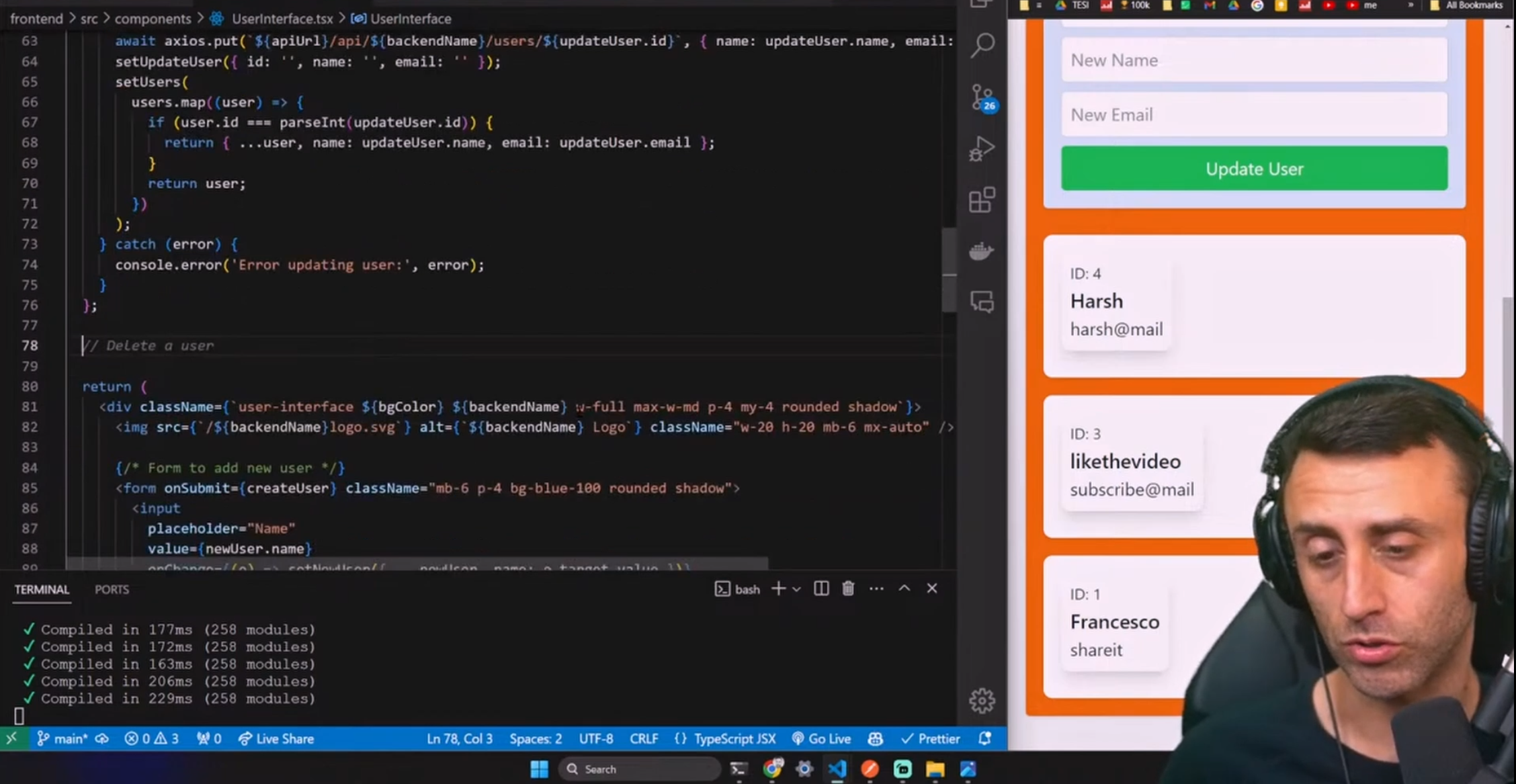
We are now ready to test the frontend.
You can use the UI to insert, update, and delete users.
Dockerize the frontend
Deploy a Next.js app with Docker.
Change the next.config.js file in the frontend folder, replacing it with the following content:
/** @type {import('next').NextConfig} */
const nextConfig = {
  output: 'standalone'
}

module.exports = nextConfig
Create a file called .dockerignore in the frontend folder and add the following content:
**/node_modules
To dockerize the Next.js application, we will use the official Dockerfile provided by Vercel:

You can find it here: https://github.com/vercel/next.js/blob/canary/examples/with-docker/Dockerfile
Create a file called next.dockerfile in the frontend folder and add the following content (it's directly from the vercel official docker example)
FROM node:18-alpine AS base

# Install dependencies only when needed
FROM base AS deps
# Check https://github.com/nodejs/docker-node/tree/b4117f9333da4138b03a546ec926ef50a31506c3#nodealpine to understand why libc6-compat might be needed.
RUN apk add --no-cache libc6-compat
WORKDIR /app

# Install dependencies based on the preferred package manager
COPY package.json yarn.lock* package-lock.json* pnpm-lock.yaml* ./
RUN \
  if [ -f yarn.lock ]; then yarn --frozen-lockfile; \
  elif [ -f package-lock.json ]; then npm ci; \
  elif [ -f pnpm-lock.yaml ]; then yarn global add pnpm && pnpm i --frozen-lockfile; \
  else echo "Lockfile not found." && exit 1; \
  fi


# Rebuild the source code only when needed
FROM base AS builder
WORKDIR /app
COPY --from=deps /app/node_modules ./node_modules
COPY . .

# Next.js collects completely anonymous telemetry data about general usage.
# Learn more here: https://nextjs.org/telemetry
# Uncomment the following line in case you want to disable telemetry during the build.
# ENV NEXT_TELEMETRY_DISABLED 1

RUN yarn build && ls -l /app/.next


# If using npm comment out above and use below instead
# RUN npm run build

# Production image, copy all the files and run next
FROM base AS runner
WORKDIR /app

ENV NODE_ENV production
# Uncomment the following line in case you want to disable telemetry during runtime.
# ENV NEXT_TELEMETRY_DISABLED 1

RUN addgroup --system --gid 1001 nodejs
RUN adduser --system --uid 1001 nextjs

COPY --from=builder /app/public ./public

# Set the correct permission for prerender cache
RUN mkdir .next
RUN chown nextjs:nodejs .next

# Automatically leverage output traces to reduce image size
# https://nextjs.org/docs/advanced-features/output-file-tracing
COPY --from=builder --chown=nextjs:nodejs /app/.next/standalone ./
COPY --from=builder --chown=nextjs:nodejs /app/.next/static ./.next/static

USER nextjs

EXPOSE 3000

ENV PORT 3000
# set hostname to localhost
ENV HOSTNAME "0.0.0.0"

# server.js is created by next build from the standalone output
# https://nextjs.org/docs/pages/api-reference/next-config-js/output
CMD ["node", "server.js"]
Now, let's update the compose.yaml file in the project's root, adding the nextapp service.
Below the updated version:
services:
  nextapp:
    container_name: nextapp
    image: francescoxx/nextapp:1.0.0
    build:
      context: ./frontend
      dockerfile: next.dockerfile
    ports:
      - 3000:3000
    environment:
      - NEXT_PUBLIC_API_URL=http://localhost:8080
    depends_on:
      - rustapp
  rustapp:
    container_name: rustapp
    image: francescoxx/rustapp:1.0.0
    build:
      context: ./backend
      dockerfile: rust.dockerfile
      args:
        DATABASE_URL: postgres://postgres:postgres@db:5432/postgres
    ports:
      - '8080:8080'
    depends_on:
      - db
  db:
    container_name: db
    image: postgres:13
    environment:
      POSTGRES_USER: postgres
      POSTGRES_PASSWORD: postgres
      POSTGRES_DB: postgres
    ports:
      - 5432:5432
    volumes:
      - pgdata:/var/lib/postgresql/data

volumes:
  pgdata: {}
And now, let's build the image and run the container:
docker compose build
docker compose up -d nextapp

You can check if the 3 containers are running:
docker ps -a
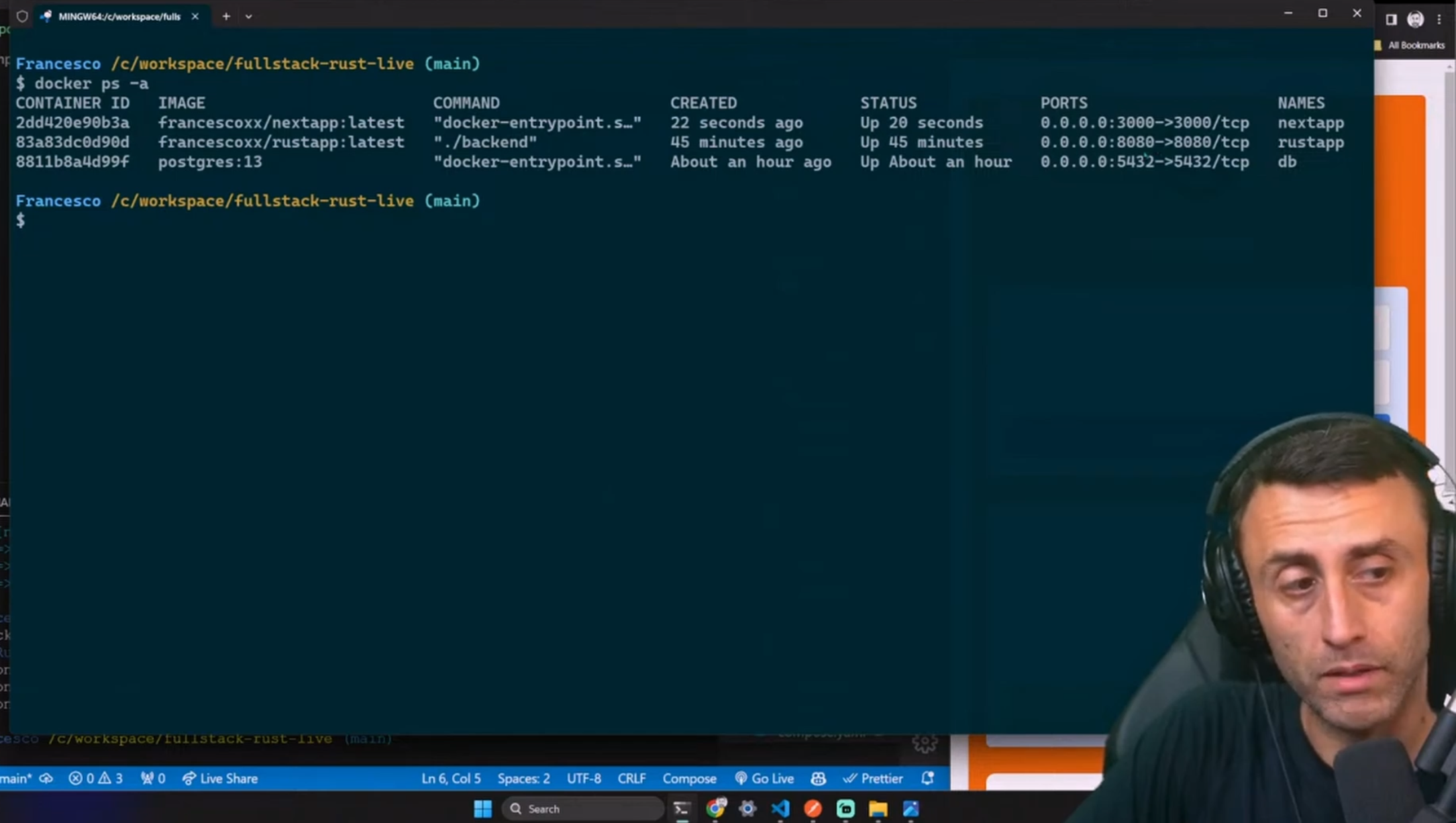
If you have the 3 services running, should be good to go.
Before we wrap up, let's make a final test using the UI.
🧪 Test the frontend
As a final test, we can check if the frontend is working.
To create a new user, add a name and email
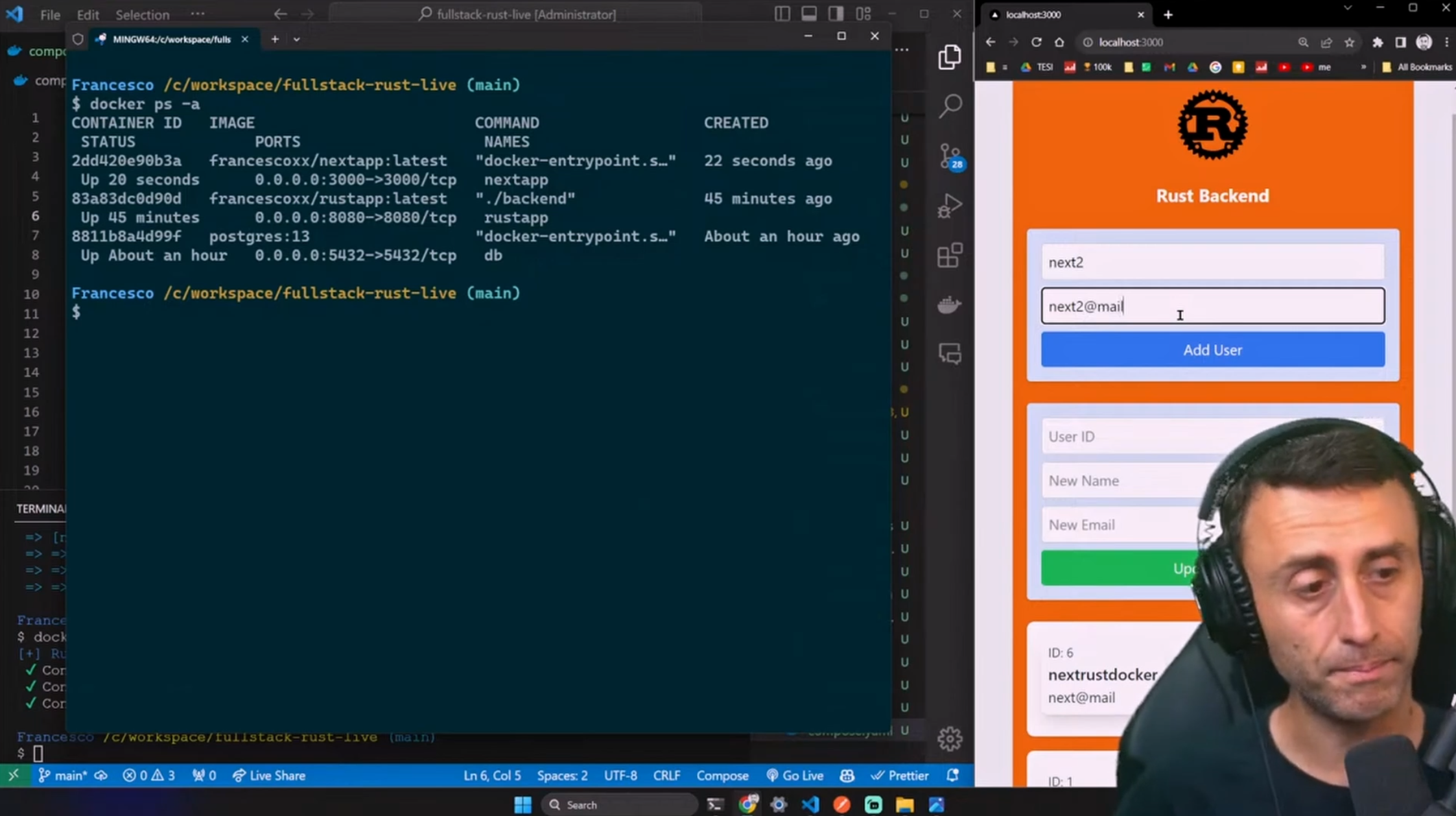
We can check the list of users from the UI or directly from the database:
docker exec -it db psql -U postgres
\dt
select * from users;
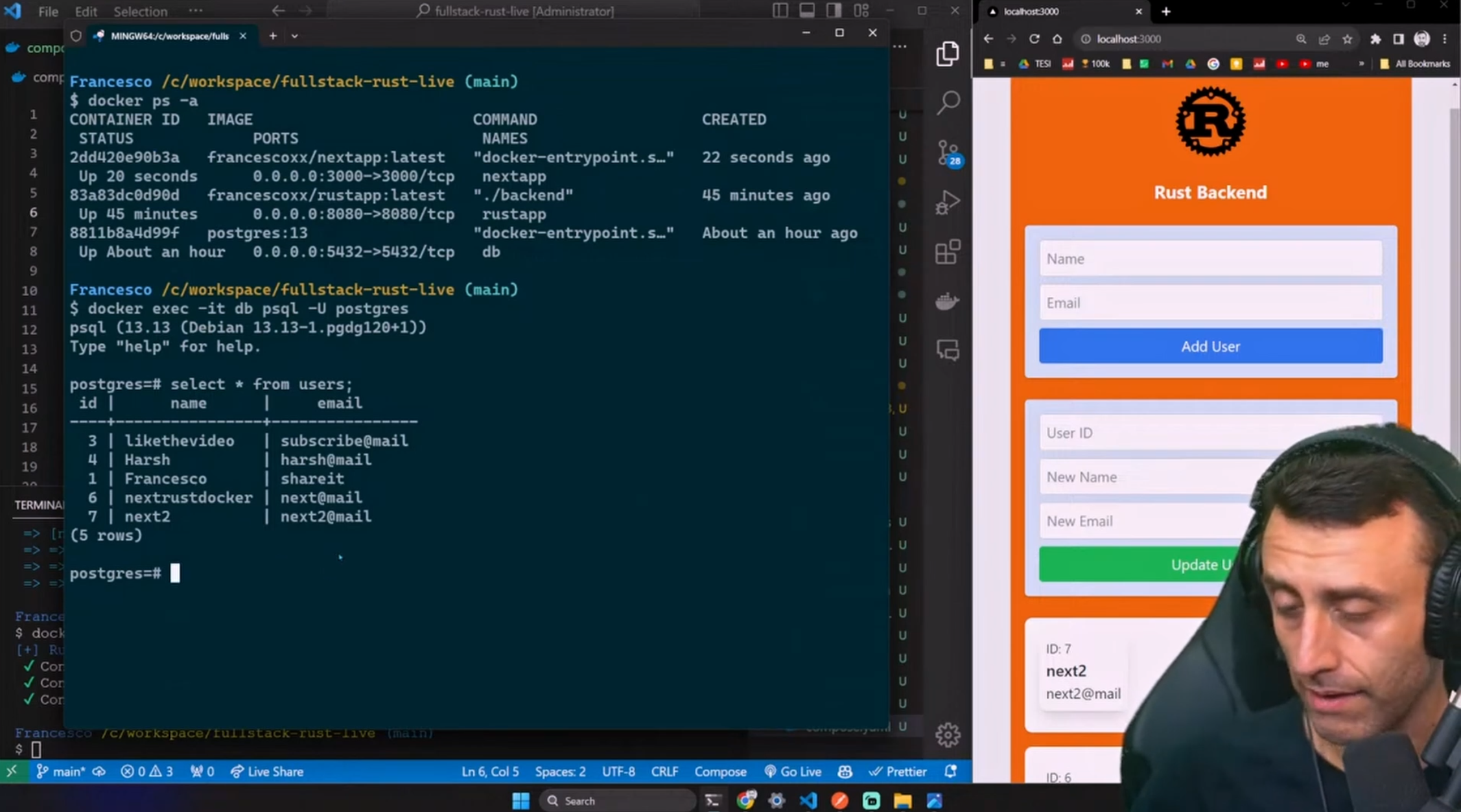
We can also update a user, or delete on. for example, let's update the user with id 7:

Well done, the tutorial si complete!
📝 Recap
We build a simple yet complete full-stack web app with Rust API, Next.js 14, Serde, Postgres, Docker, docker Compose.
We used Rust to build the backend API, Next.js 14 to build the frontend, Serde to serialize and deserialize the data, Postgres as the database, Docker to containerize the app, and docker Compose to run the app.
If you prefer a video version: https://youtu.be/77RjzJtC_g4
All the code is available for free on GitHub (link in video description).
If you have any questions, comment below or in the video comments
You can find me here: Francesco
About the author
👋 Hi, I Am Francesco
I am a Computer Scientist interested in Web3 and DevRel.
I worked from 2017 to 2020 on the Copernicus project for the ESA European Space Agency as a Fullstack Developer.
Docker Captain
I have interviewed 195+ Developers on my YouTube Channel
I am a Developer Advocate at daily.dev
I have founded 4C, a community focused on Content Creation.
Comments
Join the discussionwill surely try to build this.
Exellent ❤